Model Portfolios, a Redesigned Portfolio Shift, and Vault Previews
1.7.0·
Model Portfolios is here. It is a brand new module, and it lets you build a target portfolio once and use it everywhere, across every client and every Portfolio Shift from then on.
The rest of this release is mostly about making the tools you already use feel more intuitive, faster, and easier to work with.
Portfolio Shift got rebuilt from the ground up. Every file in your Vault now shows you what is inside before you open it.
Model Portfolios: build once, apply everywhere
Model Portfolios lets you run the investment side of your practice the way a true portfolio manager does, and scale it across every client you manage.
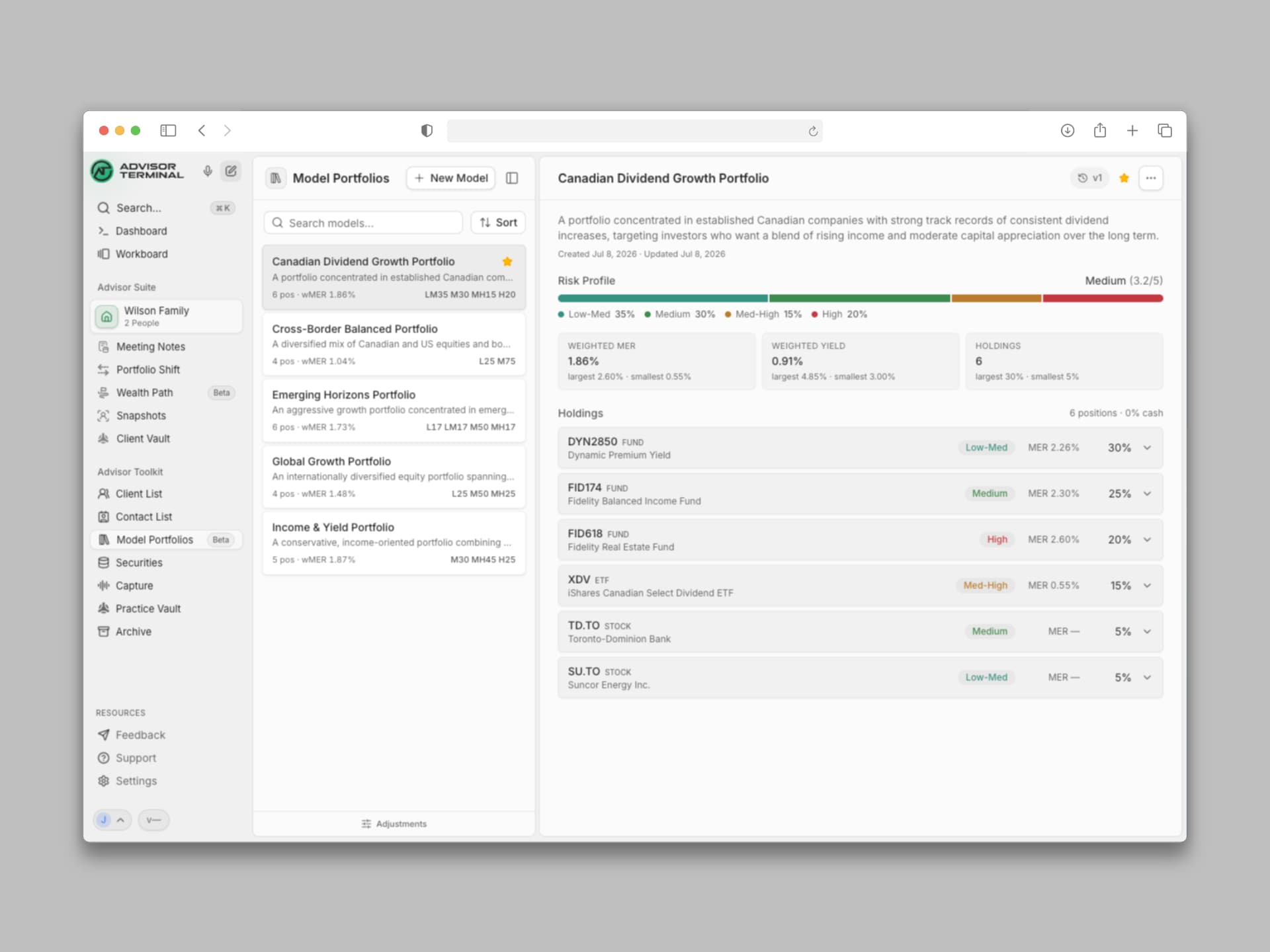
- Build as many models as you need. One for each client type or purpose: a conservative income model, a balanced growth model, whatever your practice actually runs on.
- Version instead of rebuilding. A model is never really finished. When it is time to rebalance, drop a position, or add a new one, you version the one you already have instead of starting over, so you can look back and see exactly how a model, and your thinking behind it, has evolved over time.
- Apply a model inside Portfolio Shift. Instead of adjusting every position in a client's target portfolio by hand, apply the model directly and Advisor Terminal instantly calculates the difference, taking you from a current account to a final, executable trade list in seconds.
- Track a Risk Profile for every model. See at a glance which models fit which clients based on their risk constraints.
- Stay linked to your security database. Every position inside every model pulls the most current information on everything you hold.
It is a real step toward automating and systematizing the portfolio management side of your business, so you can manage every client with the same consistency instead of rebuilding each portfolio update from scratch.
Portfolio Shift, rebuilt from the ground up
Portfolio Shift is one of the most used tools in Advisor Terminal, and this release we rebuilt it end to end.
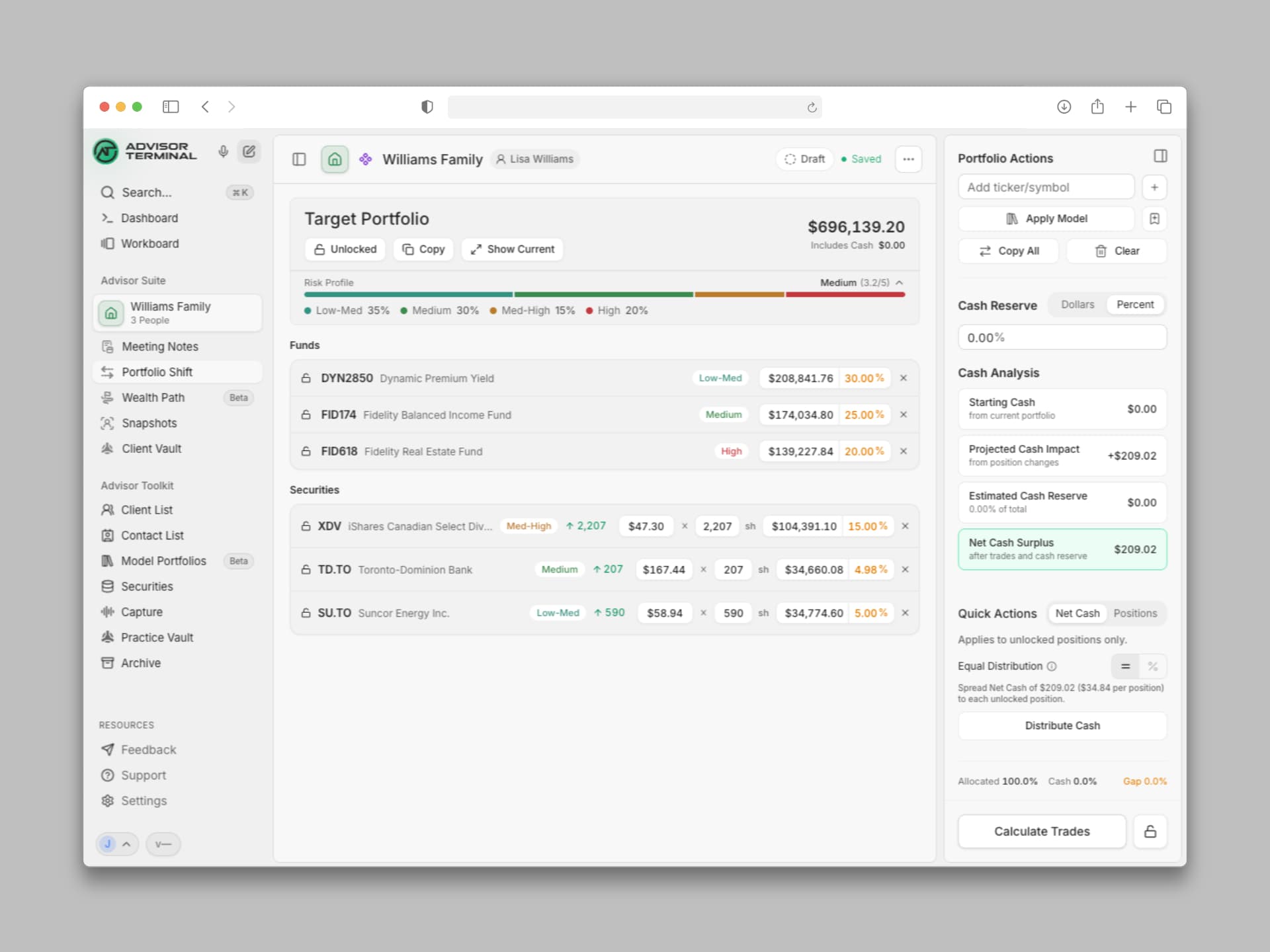
- A clear risk profile for every portfolio. Compare the risk composition of a current or target portfolio at a glance, so you can see exactly how it lines up with your client's KYC risk profile.
- A detailed trade PDF, one click away. Once your trades are calculated, generate a clean PDF that lays out the risk profile, the target portfolio composition, and the trades being placed to get there, ready to save or send straight to a client.
- Track status from Draft to Executed. Mark a shift as Draft while you are still building it, Ready once the trades are set to copy out and execute, or Executed once they are entered with your dealer.
Plus a handful of smaller visual enhancements throughout.
The Vault, now as intuitive as your own computer
Opening a file just to check if it is the right one gets old fast. Both your Practice Vault and every Client Vault now show a real thumbnail or PDF preview for every document, right in the file browser, so you know what you are looking at before you click.
You can also drag and drop files to move them between folders, the same way you already do on your own computer. One more step toward the Vault feeling like the enterprise-grade file system it is, working exactly the way you already expect it to.
Securities, reimagined as a reasoning library
Securities has been rebuilt as a flush reasoning library. Every security you track now reads as a clean, scannable list, with the reasoning behind it right there when you need it, instead of buried a click away.
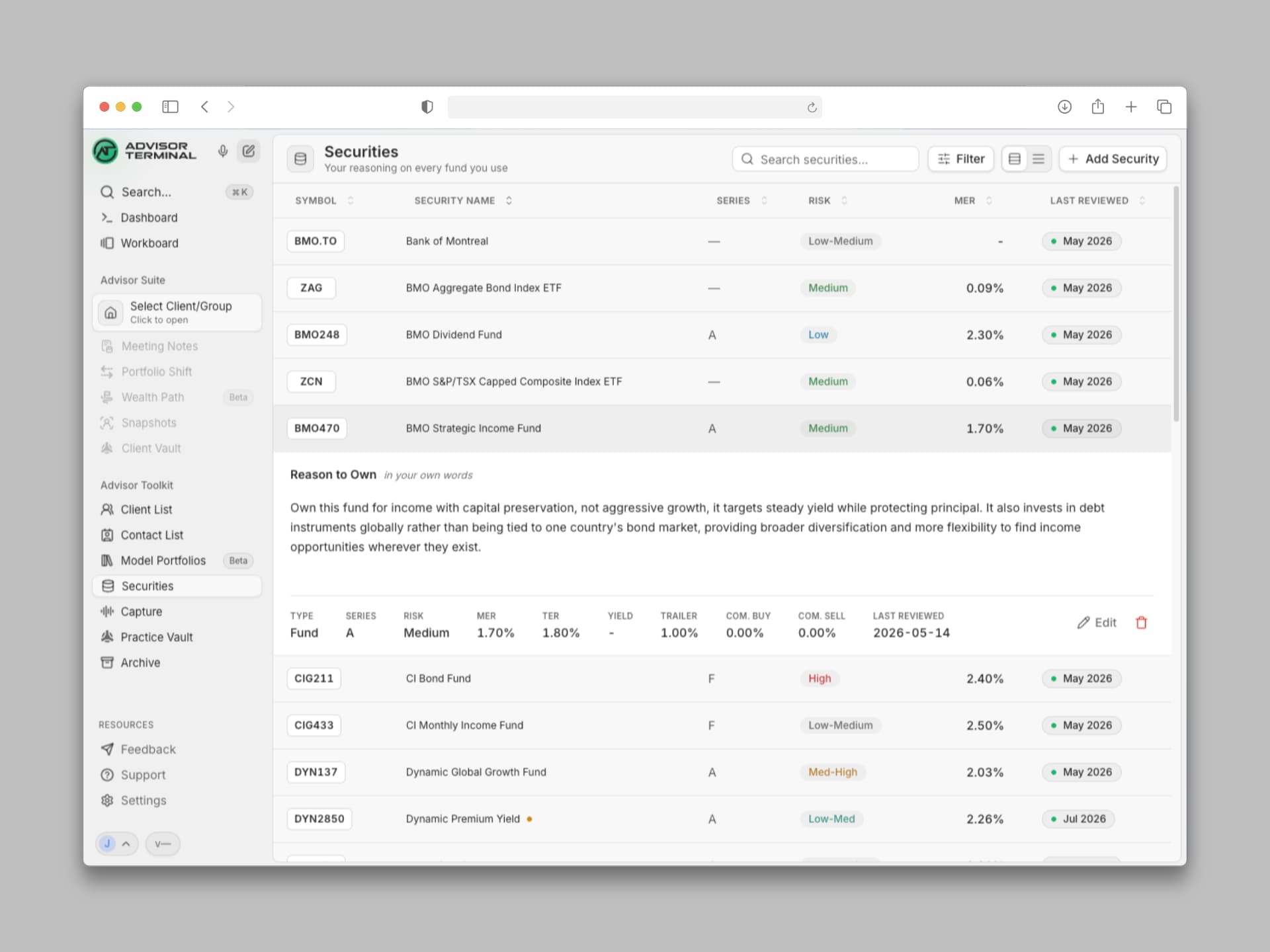
The database now speaks directly to both Portfolio Shift and Model Portfolios, so every security shows the same clear information everywhere you work with it. Add or edit a security right from inside a Model Portfolio or a Portfolio Shift, no need to stop and go update the database first.
You can also now mark a security as an ETF instead of lumping it in with stocks, so it is categorized the way you actually think about it.
Keep an eye on your Securities database. Qira is coming there soon with a few new tricks of her own.
See the rhythm of how your team works
A picture of your team's week, by day and by hour, that surfaces their natural rhythm: when they do their best work, when things go quiet, and when everyone is heads-down together. You can see where the workload bunches up and where there is slack in the day, so you can balance it and smooth out the crunch. And for the first time, you get an honest sense of how much time and effort it really takes to run your practice.
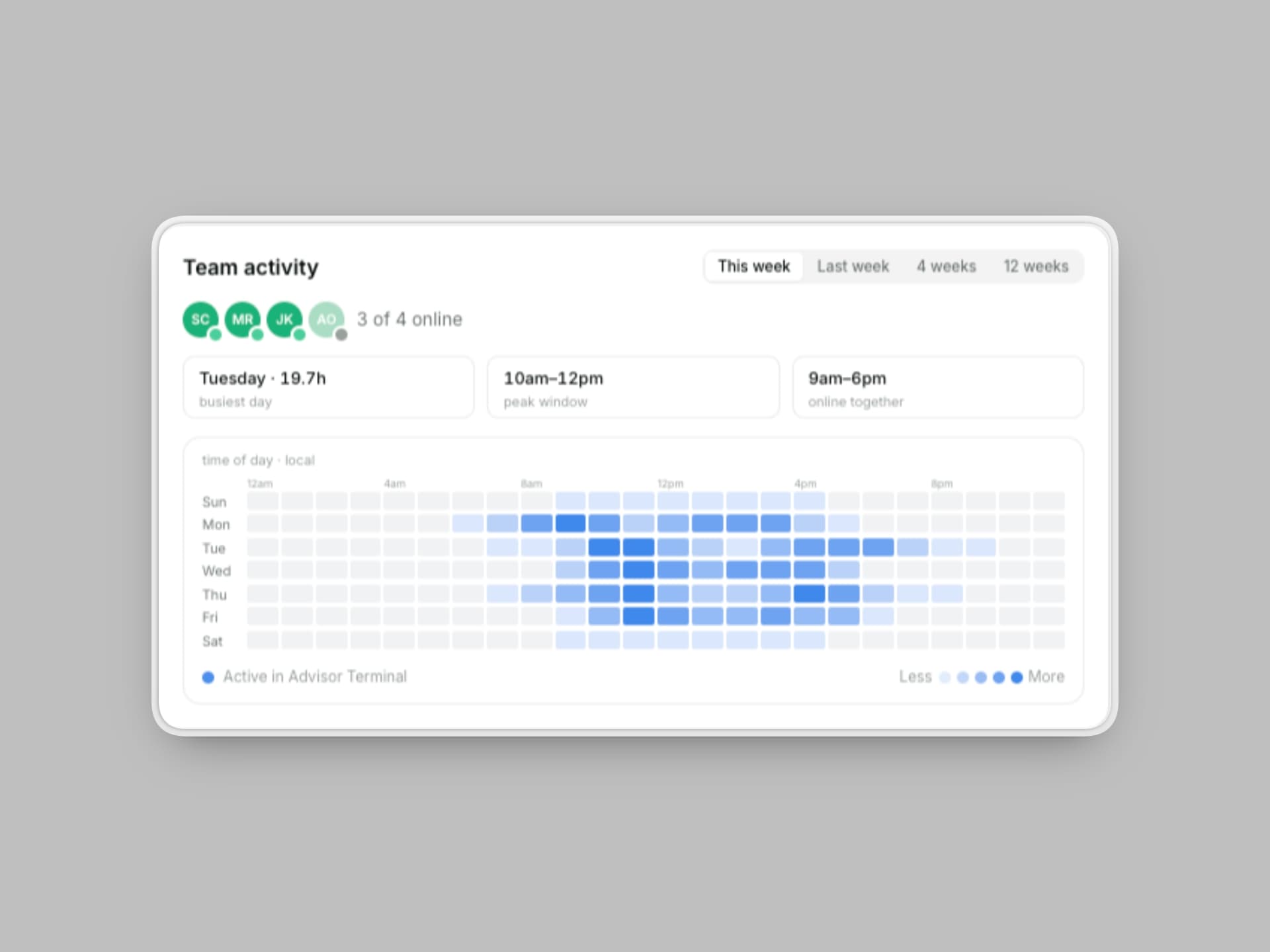
Team presence like this is available to practice owners, giving you a clearer view into how your practice runs day to day.
New Features
- A redesigned Archive. The Archive now has a dropdown page switcher and universal search on every tab.
- System theme option. Set your theme to System and Advisor Terminal automatically matches your operating system between light and dark.
Fixes
- Internal scrolling in task columns. Task columns on the workboard scroll internally again.
- Workboard layout at narrow widths. The workboard panel layout renders correctly at narrow window widths.