Wealth Path 2.0, KYC Risk Profiles, Hotkeys, and Instant Search
1.8.0·
This might be the biggest release we have ever shipped.
Wealth Path is officially replacing your financial planning software. KYC risk profiles are now built into everything you already do, not bolted on as one more form to fill out. Hotkeys turn you into a power user. And new search means finding exactly what you need, whenever you need it, has never been faster.
Let's get into it.
Wealth Path
This is one of the biggest modules we have ever built inside Advisor Terminal, and it has been in beta for a long time. What it has become is barely recognizable from where it started, and we think it is going to be the best financial planning tool you have ever used.
Most of what a financial plan needs already lives in your Snapshots. So when you open Wealth Path for a client, it builds a full plan in under 10 seconds. Accounts, income sources, CPP, OAS, real estate, mortgages, and other liabilities all populate automatically. Adjust the assumptions that matter to you, like rates of return, or start from a blank plan if you would rather build it from scratch.
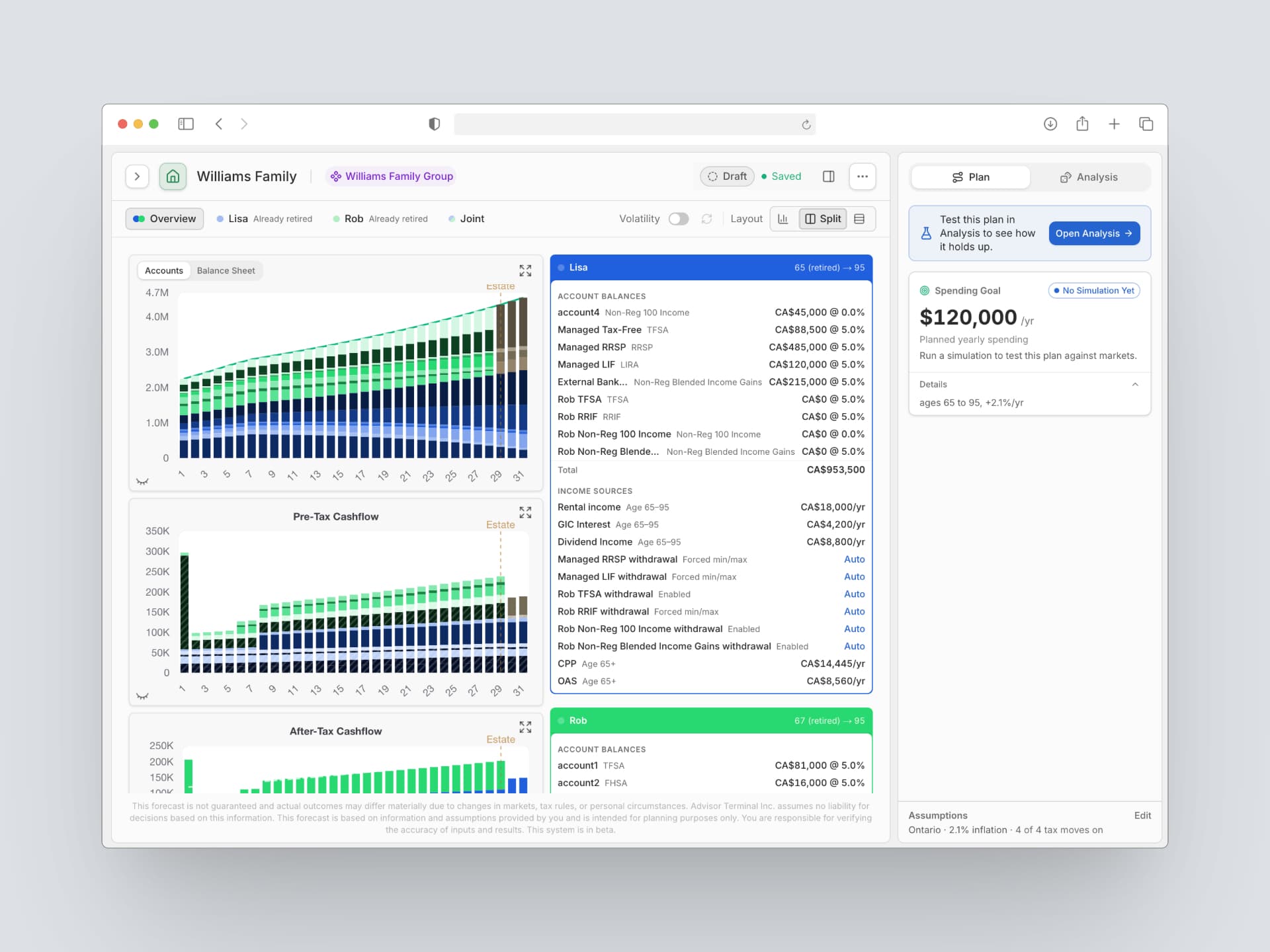
From there, everything is live and editable. Hover over any year to see the full breakdown: liquid assets growth versus full balance sheet growth, pre tax and after tax cash flow, all of it.
Analysis mode is where Wealth Path really goes to work. Run thousands of simulations to see probability of success, stress test the plan against different scenarios, and generate a value of advice summary that shows your client exactly what your planning is worth to them. Our optimization engine helps you sequence drawdowns through the decumulation years and solve for different spending levels, so you know exactly where those levels stop being safe.
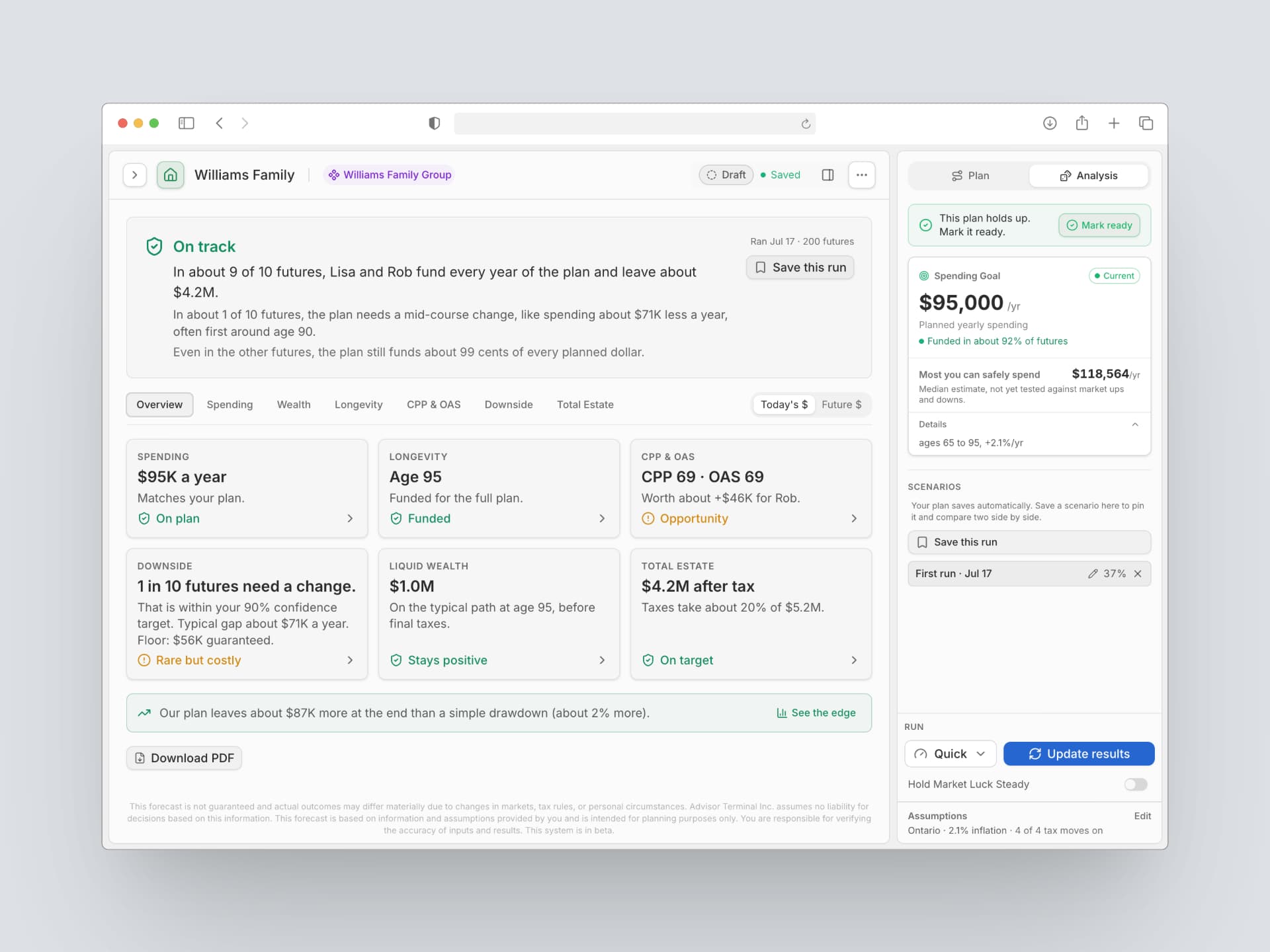
Inside analysis mode you can also:
- Optimize CPP and OAS timing, weighing the financial and psychological tradeoffs against longevity risk
- See sequence of return risk and net estate impact
- Compare drawdown strategies, like RRSP and RRIF first versus TFSA and non registered assets first
- Build surplus accounts to help equalize tax rates over time
- Export every table and chart to CSV if you want to work the numbers yourself
Download the full plan and get up to 36 pages of real, usable output. Not just tables and charts. Sentences that explain what matters, built so the story is easy to tell your client.
One thing worth saying clearly: this is all math, no AI. Every number is fully explainable, which matters when you are the one who has to defend it.
Save as many scenarios as you want and compare them side by side. Wealth Path is included in Terminal at no extra cost. We are calling this Beta 2.0, so keep the feedback coming. Right now it runs on Ontario and BC tax rates, with the rest of the provinces rolling out over the next month. It is built around households for now, with corporation and trust specific planning on the way.
We are working on a full user guide and walkthrough video, but honestly, just jump in. It is built to be intuitive.
KYC Risk Profiles
This was one of the most requested features we have ever gotten, and we built it the right way: fully integrated, not a separate form you fill out once and forget.
Nobody enjoys doing KYC paperwork, so we made sure it stops feeling like paperwork. Risk profiling now lives right inside your Snapshots input session, in the flow of the meeting you are already running, not a separate task to circle back to later. A risk profile is made up of two things: risk tolerance and risk capacity. Risk tolerance comes from a set of regulatory standard questions.
We know how much of a burden this regulatory requirement can be, so we built the computation into the system for you.
- You answer the tolerance questions. We compute the resulting risk threshold from your answers.
- We calculate capacity using financial data already in your client's file, like age, assets, net worth, and income.
- The overall risk profile always defaults to whichever number is more conservative. If capacity says more risk but tolerance says less, tolerance wins.
- Account concentration and withdrawal needs factor in too, so every account gets its own real score, not just a household average.
You always know exactly which parameters your client fits within, and those parameters are yours to work with: you decide what target risk allocation to input for the account.
Want to change the questions you ask? Go to Settings, then Risk Questions, and pick the set that fits your practice. The scoring method stays consistent. The questions are yours to choose.
Every client now has a KYC Risk Profile section right on their Snapshots dashboard. One click generates a full compliance report: capacity, tolerance, per account breakdowns, and a disclosure of exactly how we scored it. Keep it on file, hand it to compliance, done.
And if your dealer runs on a 3 point or 5 point risk scale, we handle both. Set your preference once in your practice settings.
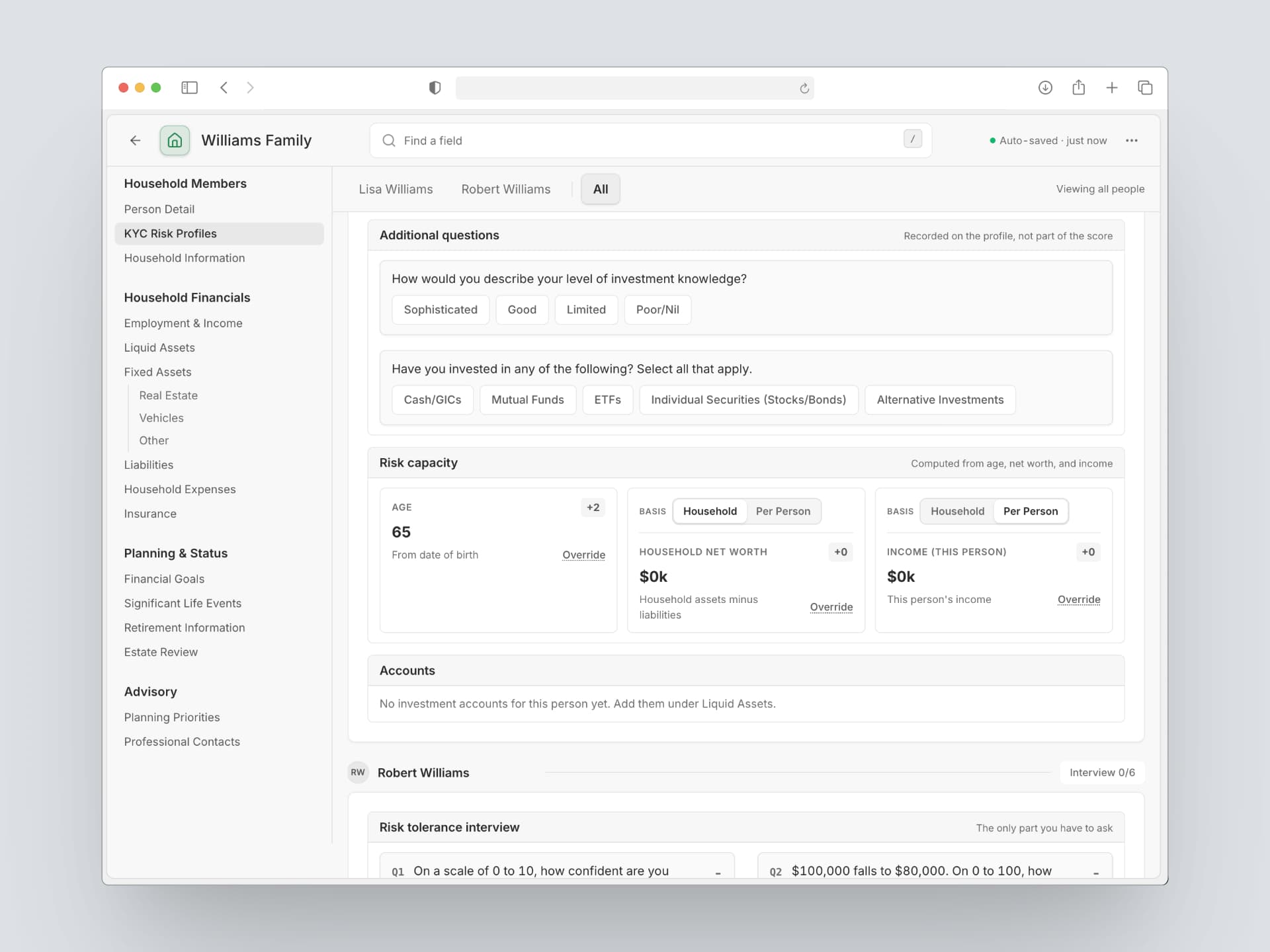
Already have a KYC on file for a client, done outside the system? You do not have to start over. Add it directly into Advisor Terminal and it works everywhere a risk profile matters, including the sync described below.
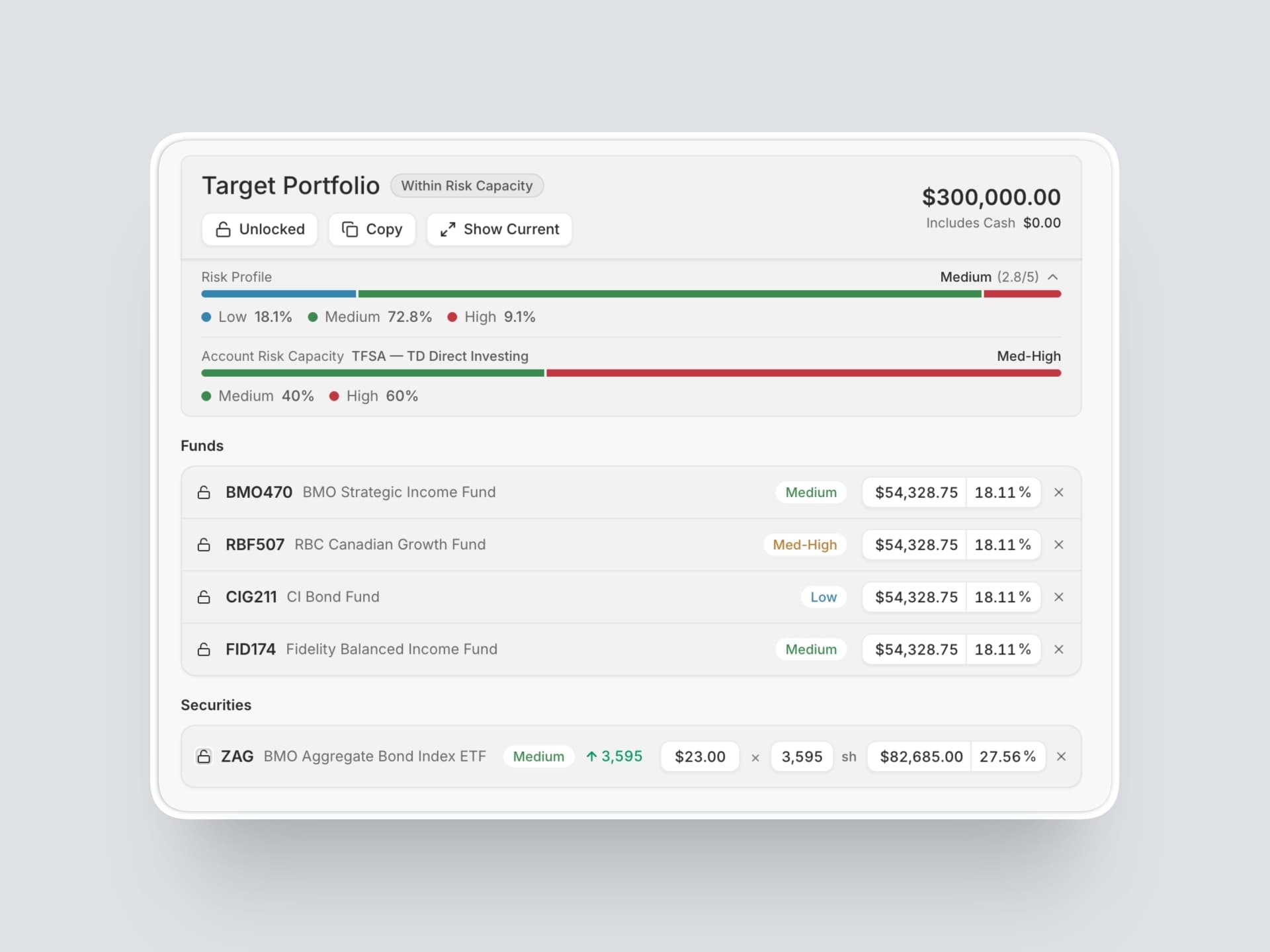
Risk profiles, synced everywhere. Once a risk profile exists, it travels with the client. Build a portfolio in Portfolio Shift, whether from scratch or from a model portfolio, and the account's risk profile checks itself against what you are building in real time. You will know instantly if you are inside the compliance bandwidth or outside it.
The Securities Database, which already tracks risk metrics on everything in your library, feeds into this too. The risk profile, the portfolio you are building, and the securities inside it are all talking to each other, live.
Hotkeys
If you have ever lived inside Excel, you know what it feels like to fly through a tool without touching your mouse. That is what we built for Advisor Terminal.
Press G anywhere in the app and a GoTo menu opens. Press a second key to jump straight where you need to go, like G then D for your dashboard. Press T from anywhere to open a new task. Press C inside most modules to create, whether that is a meeting note, a security, or a new Wealth Path plan. Press / to jump into any search bar the moment it is visible. Command K still opens client search from anywhere in the app.
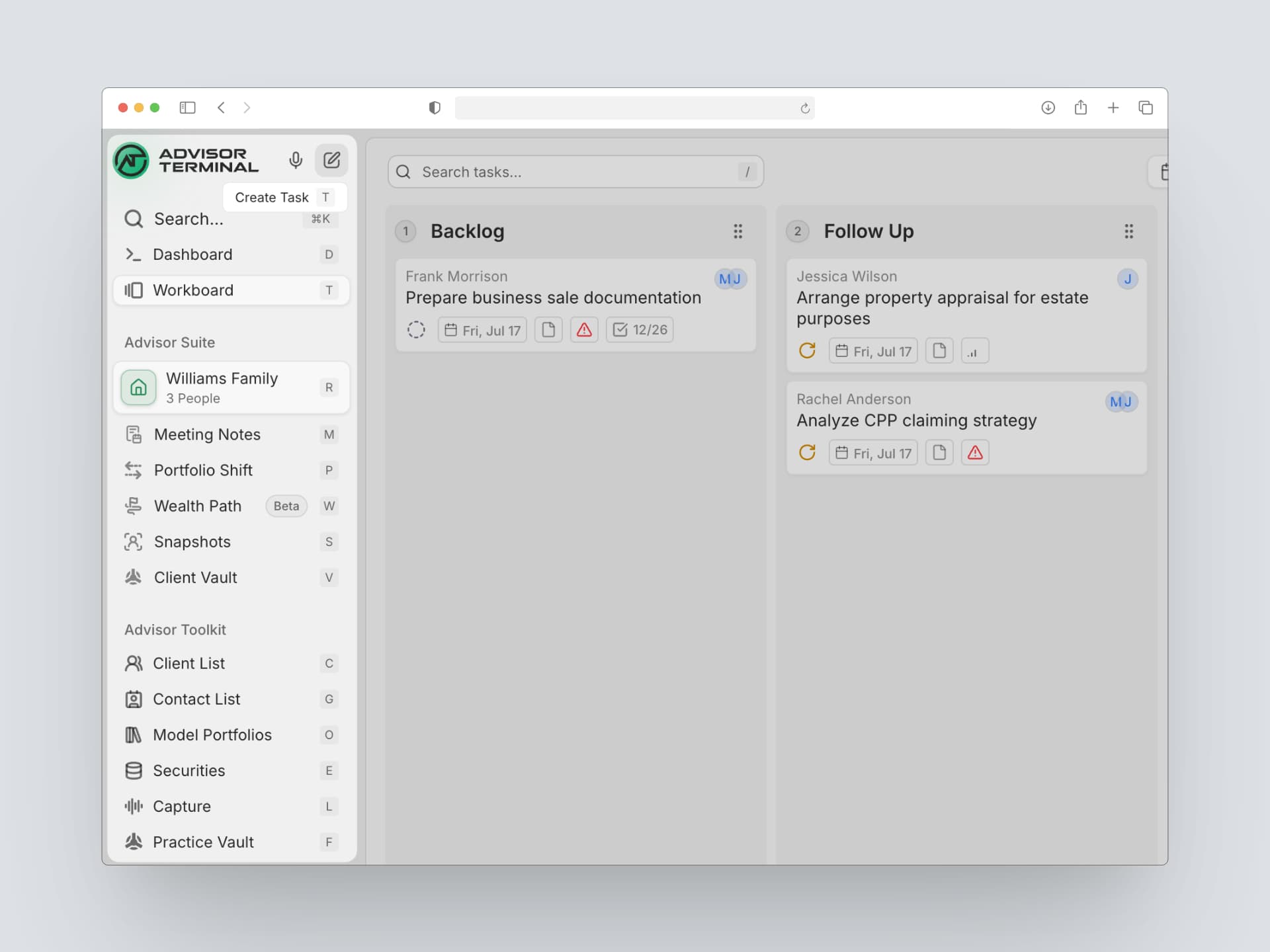
Need to see everything at once? Press ? for the full list. Hover over any module and we will show you its shortcuts too. Open or close side panels instantly with the [ and ] keys.
Small habits, big time savings.
Instant search
Stop hunting for a number. Type for it.
The Snapshots dashboard now has a search bar built right in. Looking for a client's TFSA contribution room? Start typing TFSA and the value shows up instantly, no digging through cards.
It works the same way inside an input session. Search for the field you need while you are entering client information, and we will take you straight to the right section to fill it in.
Smarter data entry in Snapshots
- Reverse engineer income from a pay stub. Working off a pay stub, you usually only have net pay, not gross salary. Now you can enter the net pay and payment frequency, and Snapshots reverse engineers the gross salary and saves it straight into the system.
- Mortgage calculator, built in. Link a mortgage directly to its monthly payment inside household expenses, then let the math work for you. Enter any three of the four key variables, interest rate, amortization, payment amount, and mortgage balance outstanding, and we solve for the one you are missing.
- See who else is in a client's file. When you are inside an input session, teammates can now see you are in there. They can view what you are working on but cannot edit, so nobody's changes get interrupted or overwritten.
Client Manager
A few upgrades to how you manage relationships:
- Track referral sources. Log where a client came from, whether it was a referral or something else, and add notes on how it happened. If a new client was referred by an existing one, link the two so that relationship stays visible instead of buried in your memory.
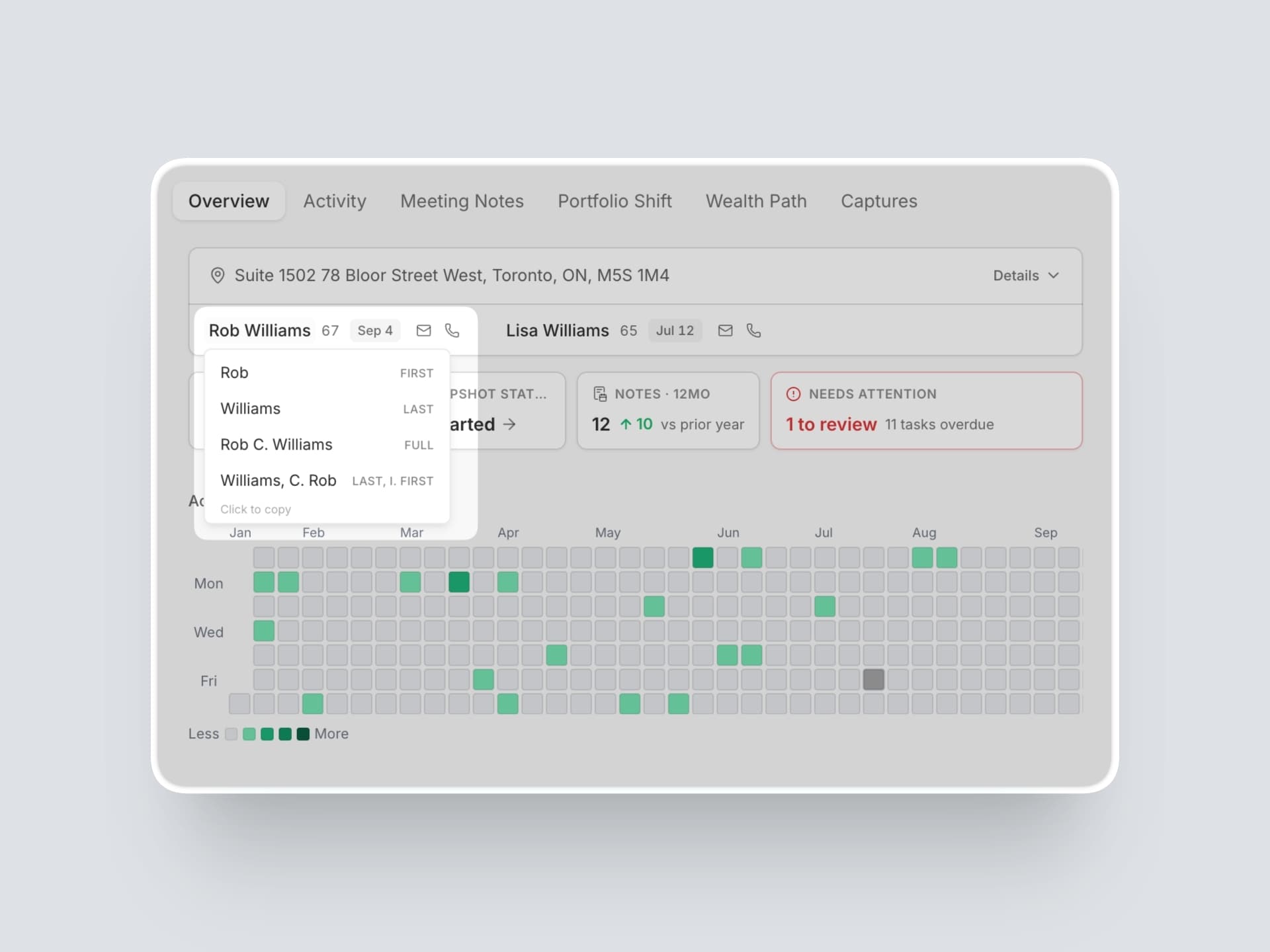
- Click to copy. Click any client's name in your CRM list and choose how you want it copied: first name last name, last name first name, whatever format you need. Same for date of birth and phone numbers.
- Mark a client as deceased. Log a death date on an account holder for a clean, traceable record.
Stay thorough, automatically
Regulatory standards keep raising the bar on what a complete client file should include, and keeping every household, trust, and corporation fully documented is hard to do from memory alone. Inside Snapshots, a new tab in the top right corner shows you exactly where you have room to go deeper on a client or entity, so being thorough never depends on remembering everything yourself.
Filter for what is worth following up on, then instantly generate a checklist, a pre worded email, or a printable PDF. Send it to your client, their lawyer, or their accountant, and get the file complete without writing the request yourself.
Improvements
- Calmer Snapshots input sessions. Input sessions moved to a calmer grayscale with less color and less visual noise.
- A cleaner task efficiency section. The task efficiency section on your dashboard is redesigned to feel cleaner and more useful at a glance.
- Snapshot comments surface everywhere. Comments and notes you add to Snapshot variables now surface automatically wherever that data shows up on the dashboard.
- Redesigned retirement outlook. The retirement outlook section on the member modal in Snapshots is redesigned.
Fixes
- Reliable client switching. The app now always switches to the client you selected.
- Better fit on smaller screens. Viewability is fixed across several areas of the app on compressed or smaller screens.