Scope of Services, Notification Inbox, and a 5-Year Forecast
1.12.0·
Version 1.12 is a big one, with two new modules and a new calculator. Scope of Services turns the work you repeat for clients into templates you track all year. The Notification Inbox tells you the moment a teammate assigns you work or mentions you. And the 5-Year Forecast gives you a simple look at where a household is headed.
Scope of Services: Template Your Repeat Work and Track It All Year
Scope of Services is new, and it sits in the sidebar. Turn the work you repeat for clients, like an annual review, into a template your team can reuse. Apply it to each client and track every item through the year.
- Build it once. Create a template for any repeat work, then apply it to one client or to many at once.
- See where each client stands. Every scope shows its progress and target date, and flags any that fall behind.
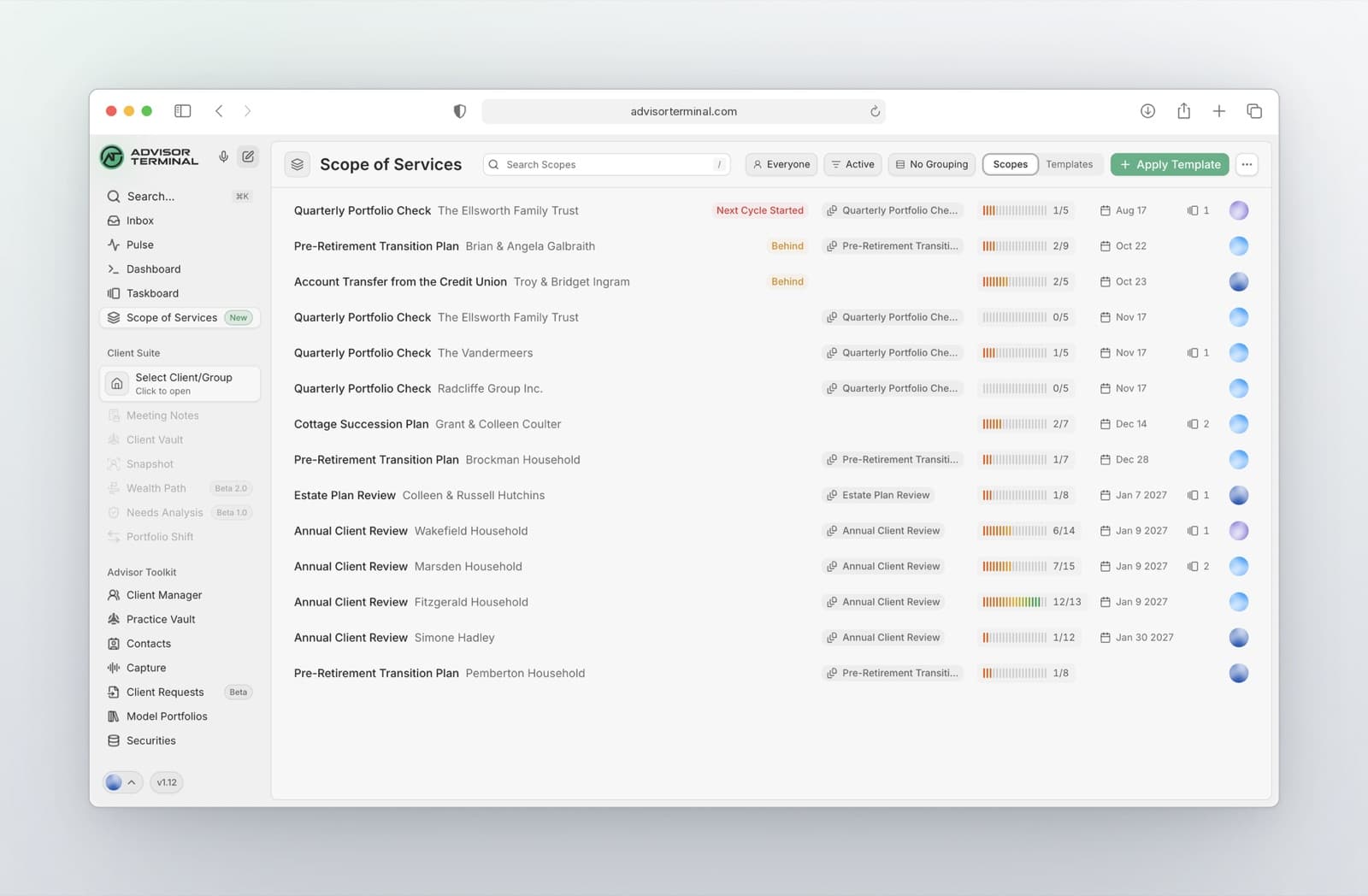
Open any scope to work through it.
- Turn items into tasks. Send any line item or section to your Taskboard when it needs real follow-through.
- Let recurring work restart itself. Set a scope to repeat, like every 12 months, and each new cycle starts on its own.
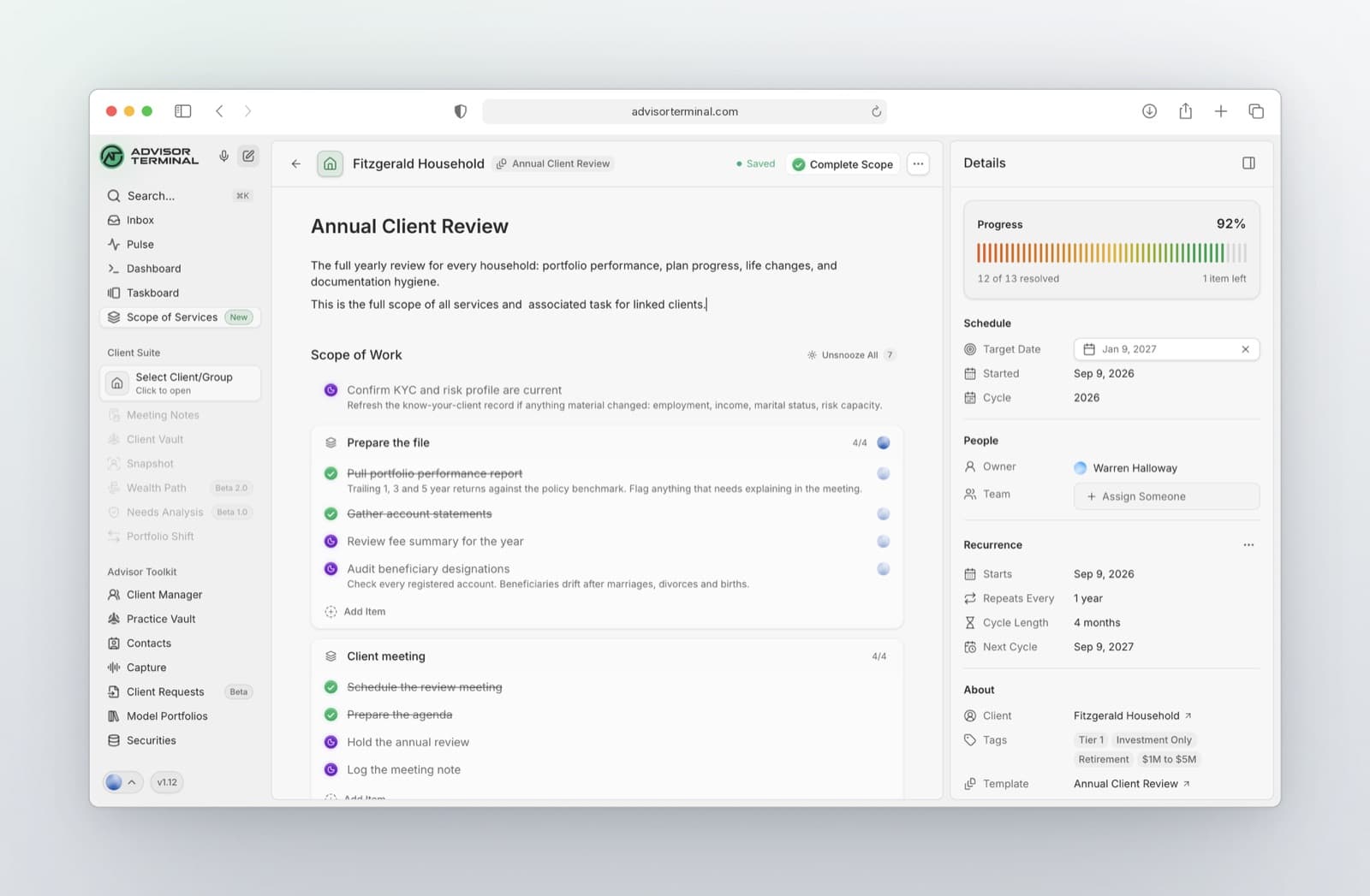
Share the work across your team.
- Give each part its own owner. Put one teammate in charge of a whole section and another on a single line item, all inside the same scope. Everyone knows exactly what is theirs.
- Everyone sees their share. Assign a teammate, or mention them in a comment or the description, and it shows up in their Inbox. Assigned to Me lists every scope they are part of.
Notification Inbox: Know When a Teammate Needs You
Your new Inbox, at the top of the sidebar, shows when a teammate assigns you a task, comments on a task assigned to you, or mentions you.
- Mention a teammate. Type @ in a task description or comment, and they hear about it right away.
- Go straight to what changed. Open a notification and the task opens beside it, scrolled to the update.
- Get it in your email too. Turn on email in Settings and every notification also lands in your email, so you never miss one when you are not in Advisor Terminal.
- Set it up your way. In Settings, choose whether opening a notification marks it read, and add a soft chime.
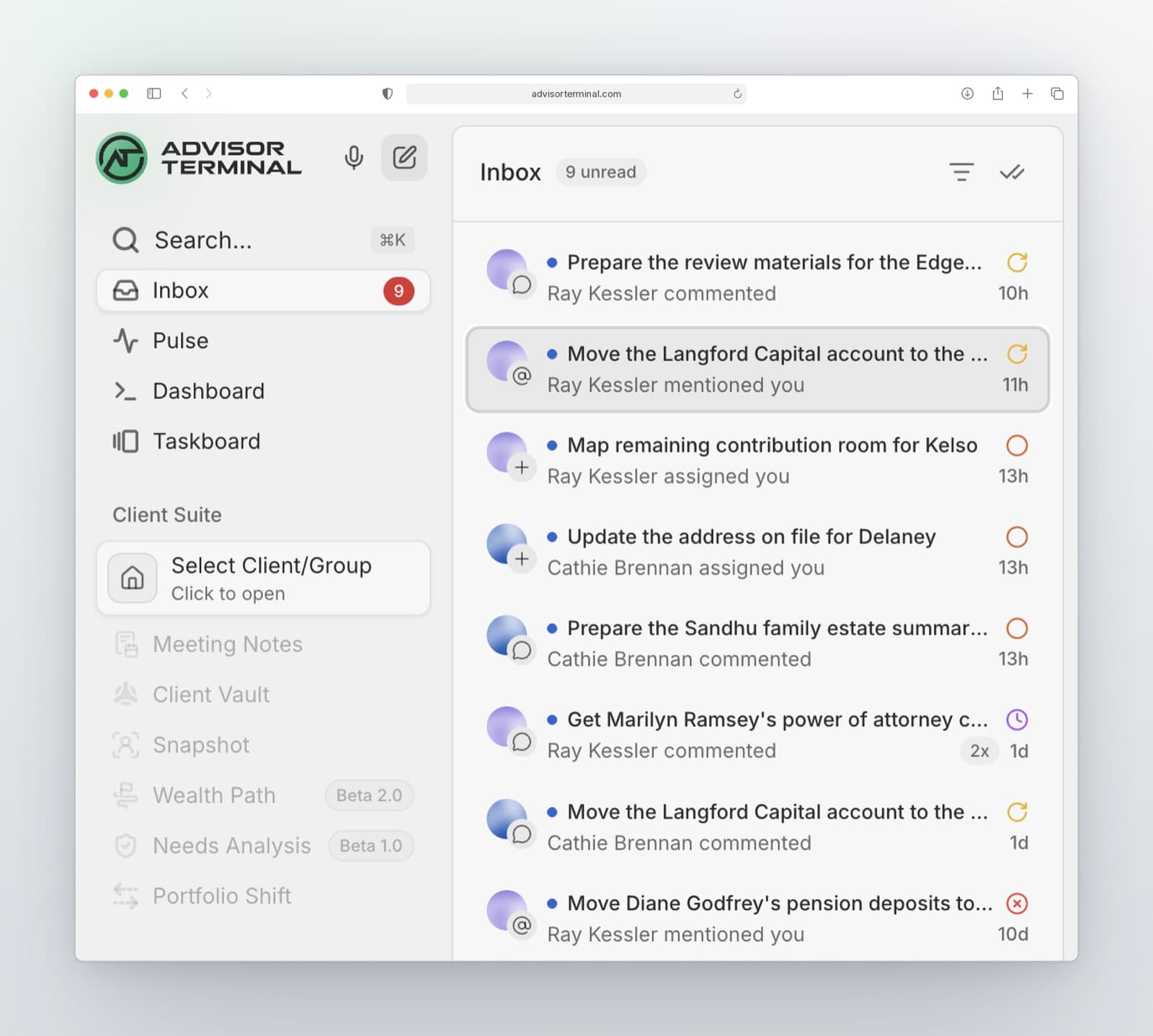
Plenty more notification features are on the way after this update.
5-Year Forecast: A Simple Look at Where a Household Is Headed
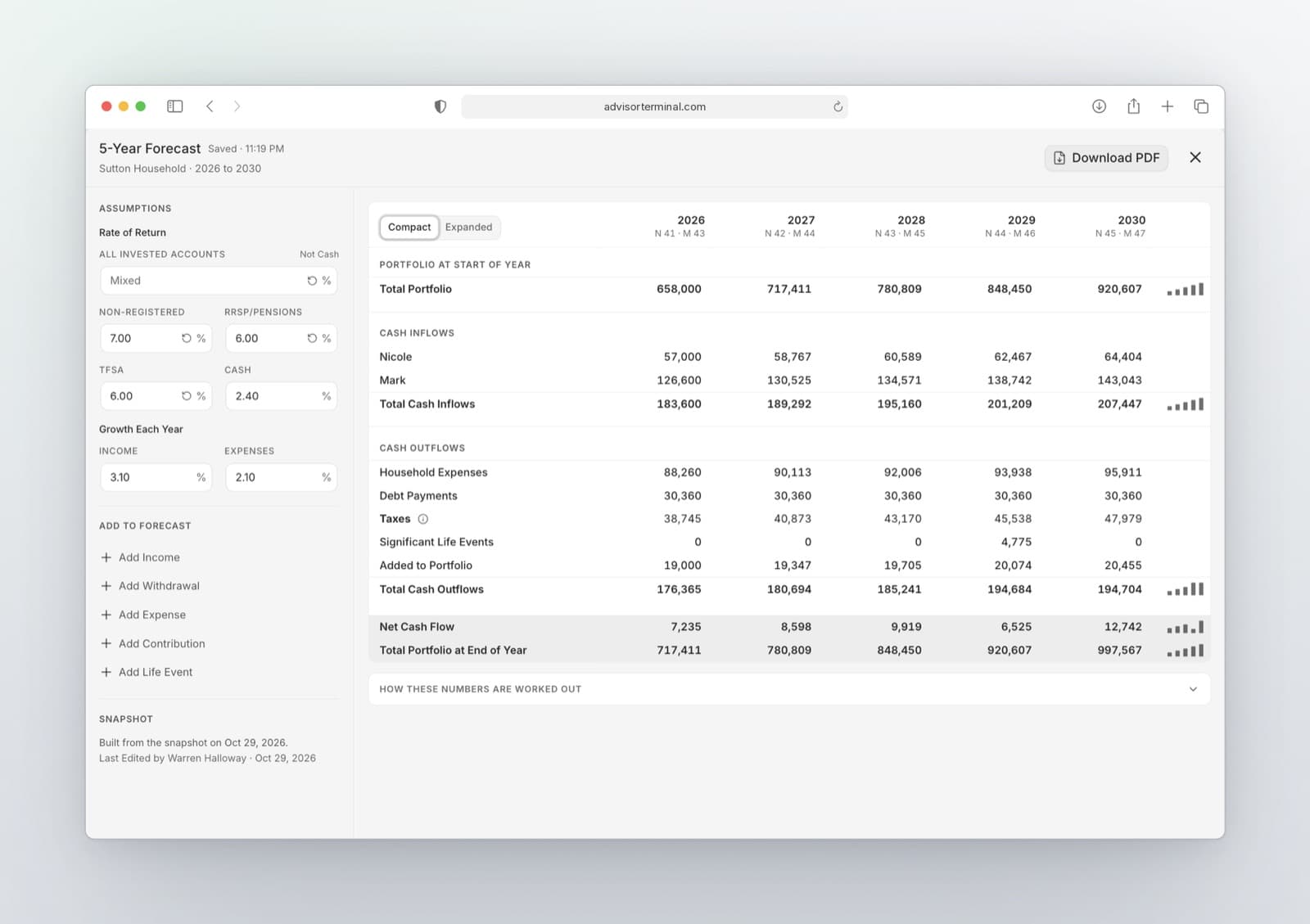
Not every client needs a full financial plan. Sometimes a simple five-year look at their cash flow and portfolio, updated each year, is enough to see where things are headed. The 5-Year Forecast builds it from the household you already entered in a Snapshot. Open it from the Calculators button on any Snapshot.
- Shape the picture. Leave out any line you do not want in the projection, and add life events.
- See where it runs short. If an account runs out because more is taken out than it holds, the forecast shows the year it happens.
- Hand it over. Export a one-page PDF for your client.
- Update it each year. The forecast is saved with the Snapshot, along with your RRIF, RESP and Giving calculator inputs.
New Features
- GIC maturities with renewal tasks. Track every GIC's maturity in the Snapshot and get a renewal task before it comes due.
- Income and tax in one place. Each person's income, deductions, credits, carryforwards and last return now sit together in one Income & Tax section. Request Info can also ask clients for the new income types.
- RESP calculator for Québec families. The RESP calculator now models Québec's provincial grant, CEGEP at 17 and Québec education costs.
- A Rebuilt Vault with Uploads and Trash. Uploads now show their progress in one place, with clear next steps for any file that needs attention, and deleted files wait in a new Trash until you restore them.
Improvements
- Qira runs on a newer generation of models. Qira now runs on a newer generation of models, so a note analysis or a recap uses far fewer credits than before and the model picker names exactly what you are choosing.
Fixes
- Qira task drafts without a due date now save properly. They now land in the Tasks pane, and Qira tells you in the chat if one fails to save.
- Your Reason to Own reaches every meeting note. Meeting notes now read your securities database on their own, so the reasons you have written appear in the note and a documented fund is never called undocumented.
- Qira's background task drafts now run. With Full Auto on, Qira now drafts tasks in the background after every captured, composed or revised note, tells you plainly when a run could not finish, and always leaves Pull Tasks within reach.